Change the texts shoppers see
Every text in the gift widget can be changed, in each language your store sells in. The widget comes translated into 11 languages: English, German, Spanish, French, Italian, Japanese, Korean, Dutch, Portuguese (Brazil), Vietnamese and Chinese (Simplified).
Edit a text
- In the app, open Display and scroll to Storefront texts.
- If your store has several languages, pick one under Language. What you type in one language is kept when you switch to another.
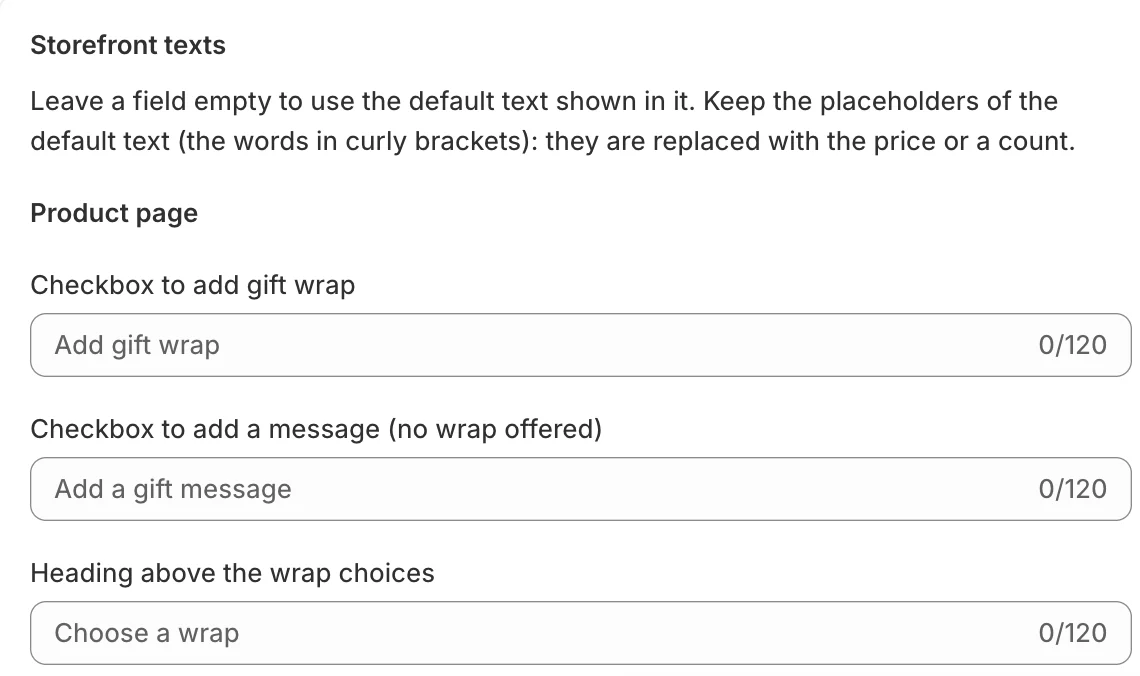
- Each field shows its default text in grey. Type your own text to replace it, up to 120 characters. Leave a field empty to keep the default.
- Save.
The Storefront preview next to the fields updates as you type.
Keep the placeholders
Some default texts contain words in curly brackets, such as {{ remaining }} characters left or Gift wrapped: {{ option }}. The store replaces them with a number, a price or an option name. Keep them in your text, or the page shows “Keep the placeholders (words in curly brackets) from the default text.”
Which texts you can change
- Product page: the checkbox to add gift wrap (“Add gift wrap”), the checkbox for a message when no wrap is offered, the heading above the wrap choices (“Choose a wrap”), the “No wrap, message only” choice, the price shown for a free wrap (“Free”), the empty choice in a dropdown (“Choose…”) and the error for a missing choice.
- Gift message fields: the labels for the message, the order message, To and From, the message placeholder (“Write a personal note”) and the characters left counter.
- Cart: “Gift wrap the whole order”, the note that it replaces single-item wraps, the heading for wrapping single items, the line under a wrapped item, “No gift wrap”, Remove and Save gift options.
- Notices: the confirmation after saving (“Gift options saved”) and the error when saving fails.
Languages that have no translation of their own use the closest one, then English.
Related
Related articles
- Choose where gift options showOffer gift wrap per item, for the whole order or both, on the product page, cart page and cart drawer, and add the theme blocks.
- Show gift wrap as a single lineWith one wrap option, show one checkbox with the option's picture, name and price instead of "Add gift wrap" and a list.