Set up gift messages
Shoppers can add a gift message with a wrap, or on its own. Set it up on the Gift message page.
Settings
- In the app, open Gift message.
- Offer a gift message is on by default. It works with or without gift wrap.
- Under Fields, choose which fields shoppers fill in: To, From and Message. All three are on by default; keep at least one.
- Set the Maximum message length, between 20 and 500 characters. The default is 200. Shoppers see a counter of the characters left. To and From are always limited to 60 characters.
- Turn on Only offer a message with gift wrap if a message must come with a wrap.
- Save. The preview on the right shows the result.
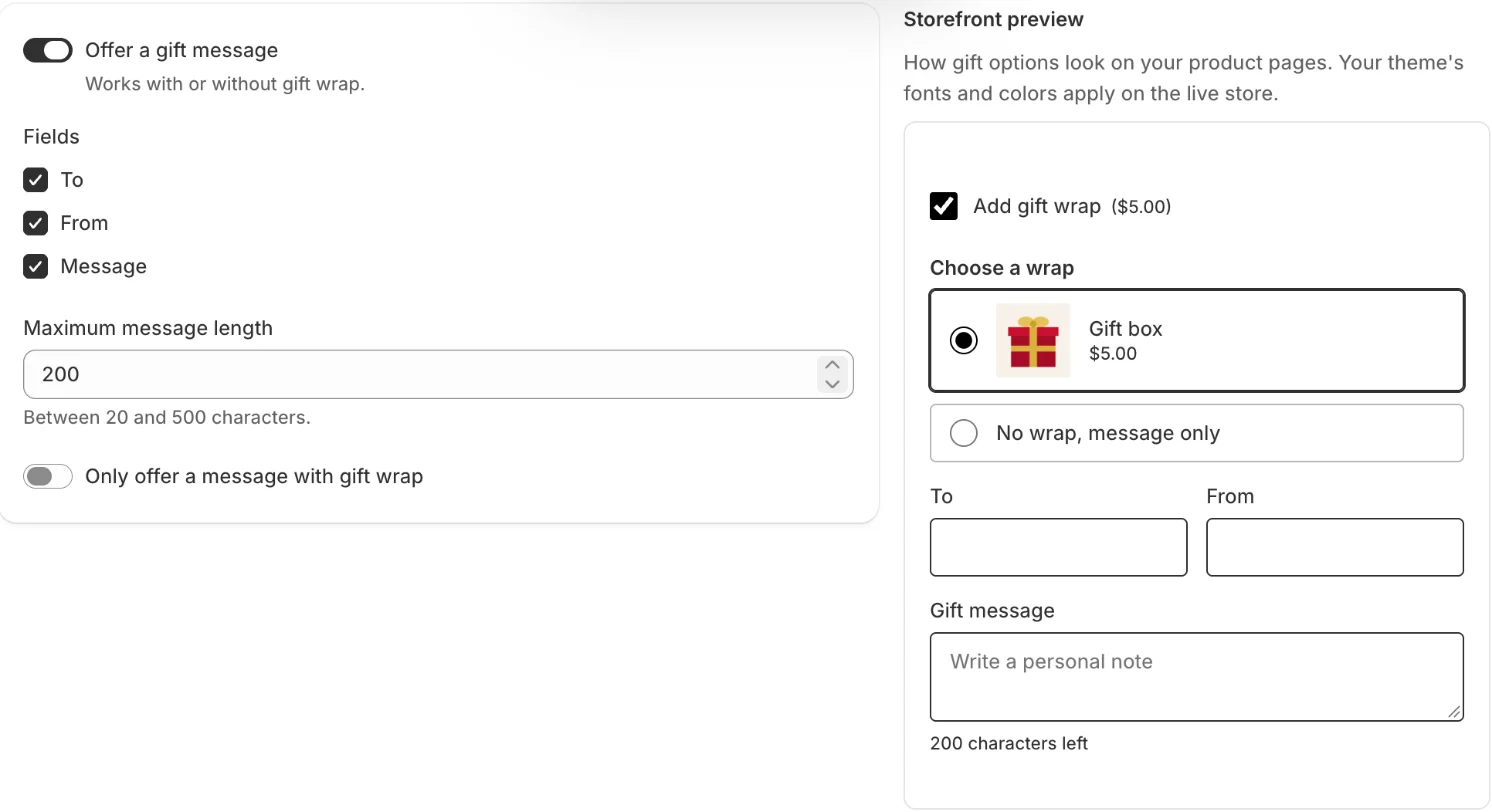
A message without wrap
When Only offer a message with gift wrap is off, the list of wrap options on the product page ends with No wrap, message only. A shopper who picks it adds the product with the message and no wrap.
When it is on, that choice disappears, and pages that offer no wrap show no message field either.
Where you find the message
- On a wrapped item: on the gift wrap line under the product, as To, From and Gift message.
- Message only: on the product’s own line.
- For the whole order: in the order’s Additional details, as Gift to, Gift from and Gift message.
The app reads a message only to check that there is one, to tag the order. It doesn’t store or send the text anywhere; it stays on the Shopify order.
Related
Related articles
- Install the app and set up gift wrapCreate your first wrap option, turn on the app embed in your theme and check gift options on your store, following the setup guide on Home.
- Create a wrap optionAdd a wrap option from the gift box template or from scratch, set its name, price and image, and duplicate, reorder or delete options.
- Choose which products offer gift wrapOffer gift options on all products, only on selected products, collections or tags, or on all products except some.