Quick Order: paste a SKU list
Quick Order fills the cart from a list instead of the catalog. It suits reorders and orders that arrive as a spreadsheet, an email or a phone call. Sales reps use it in the rep portal, and buyers use the same page in the buyer portal.
Open Quick Order
- Sales reps: pick the company and contact, open their Catalog, then click Quick Order. The page shows who you’re ordering for at the top.
- Buyers: click Quick Order in the menu.
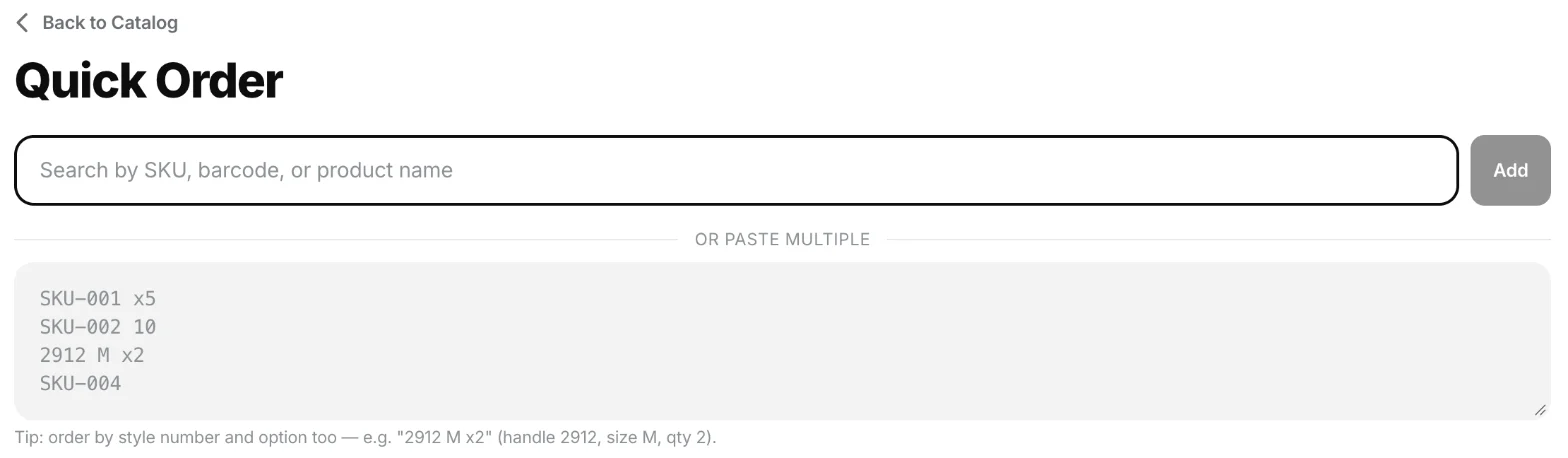
To add one product, type its SKU, barcode or name in Search by SKU, barcode, or product name and click Add.
Paste a list
- Under or paste multiple, paste your list, one product per line.
- Click Import (it shows how many lines it read, for example Import 4 SKUs).

Each line is a SKU or barcode, then an optional quantity:
| You type | Quantity |
|---|---|
ABC-123 x5 |
5 |
ABC-123, 5 |
5 |
ABC-123 and 5 in two spreadsheet columns (a tab between them) |
5 |
ABC-123 |
1 |
Use x5, a comma or a tab for the quantity. ABC-123 5 with only a space does not mean 5: the app reads the 5 as part of the code, like a size, so the line usually comes back as not found.
You can also order by product handle and option, as the hint under the box says: 2912 M x2 means the product with handle 2912, size M, quantity 2.
Codes are matched exactly, ignoring upper and lower case. If the same code appears twice, the quantities are added together.
Check the order pad
The matched products appear in the Order Pad with the company’s price, stock status and quantity. Change a quantity with − and +, or remove a line with ×.
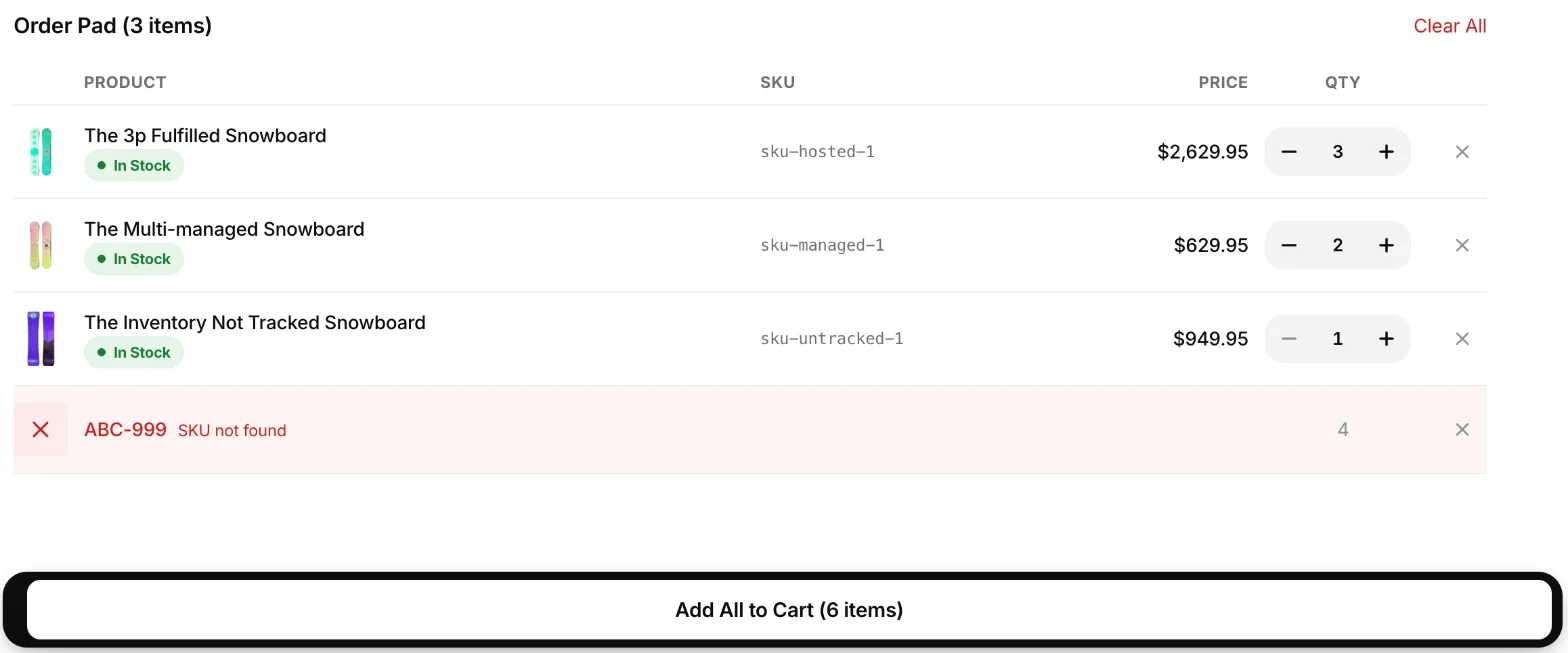
A line marked SKU not found didn’t match any product the customer can see. It isn’t added to the cart. Fix the code and paste it again, or remove the line.
When the pad is right, click Add All to Cart. The button shows the total quantity of the matched lines. Lines that weren’t found stay on the page so you can fix them.
Then carry on as usual from the Cart: a rep creates the quote (How a rep creates a quote), and a buyer places the order.
Limits
- Up to 100 lines at a time. If you paste more, the extra lines are skipped and the page says “Capped at 100 items” with how many were skipped.
- A product added with the search box starts at its minimum order quantity from Shopify, and − won’t go below it.
If Quick Order is unavailable
“Quick Order unavailable: The store owner needs to re-authenticate the app.” means the portal can’t read the catalog right now. The store owner should open Mify FieldB2B in their Shopify admin. If the message stays, contact us.
Related
Related articles
- How a rep creates a quote (cart to draft order)How a sales rep builds a cart for a customer in the portal, turns it into a quote, and sends it. Every quote is a Shopify draft order.
- Quote discounts: per line or on the whole quoteHow reps discount a quote, line by line (percent, amount off or a set price) or on the whole quote, and how the rep's maximum discount limits it.
- Turn on the buyer portal and invite buyersLet your B2B customers sign in and order for themselves at their agreed prices, and send each buyer their sign-in link.