Company locations: prices, addresses and terms
In Shopify B2B mode, a company can have several locations, each with its own catalog prices, addresses, payment terms and tax settings in Shopify. The location a rep picks when starting a quote decides all of these for that quote.
Pick a location
- In the portal, open Companies and pick the company.
- If it has more than one location, the card shows them under Select location. Tap one. Nothing is selected for you.
- Pick the contact. Their Catalog opens at that location’s prices.
If you skip the location, the catalog uses the contact’s own location: the first location where they hold a role in Shopify.
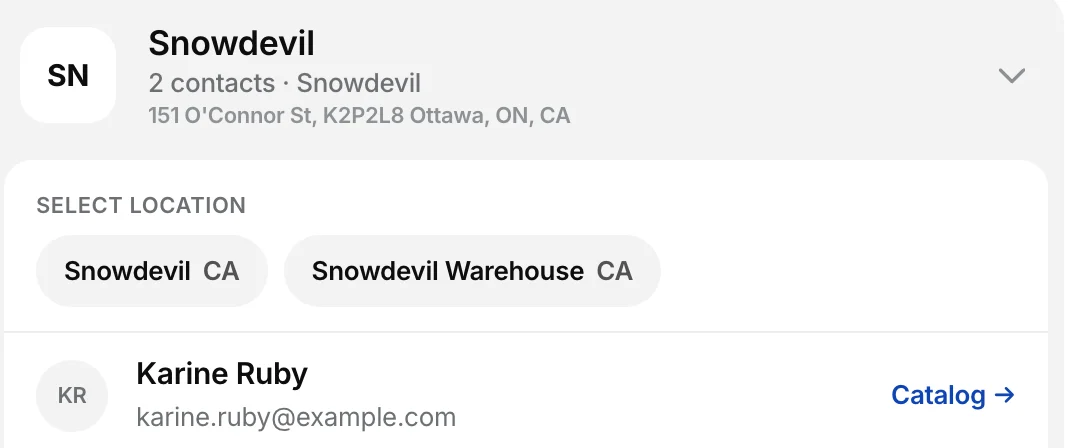
The location stays with you while you browse, search and use Quick Order. If you switch location with items in the cart, the items stay and are repriced, and the portal shows Prices updated for the new location.
What the location sets
- Prices. The location’s Shopify B2B catalog prices, including quantity rules and volume pricing.
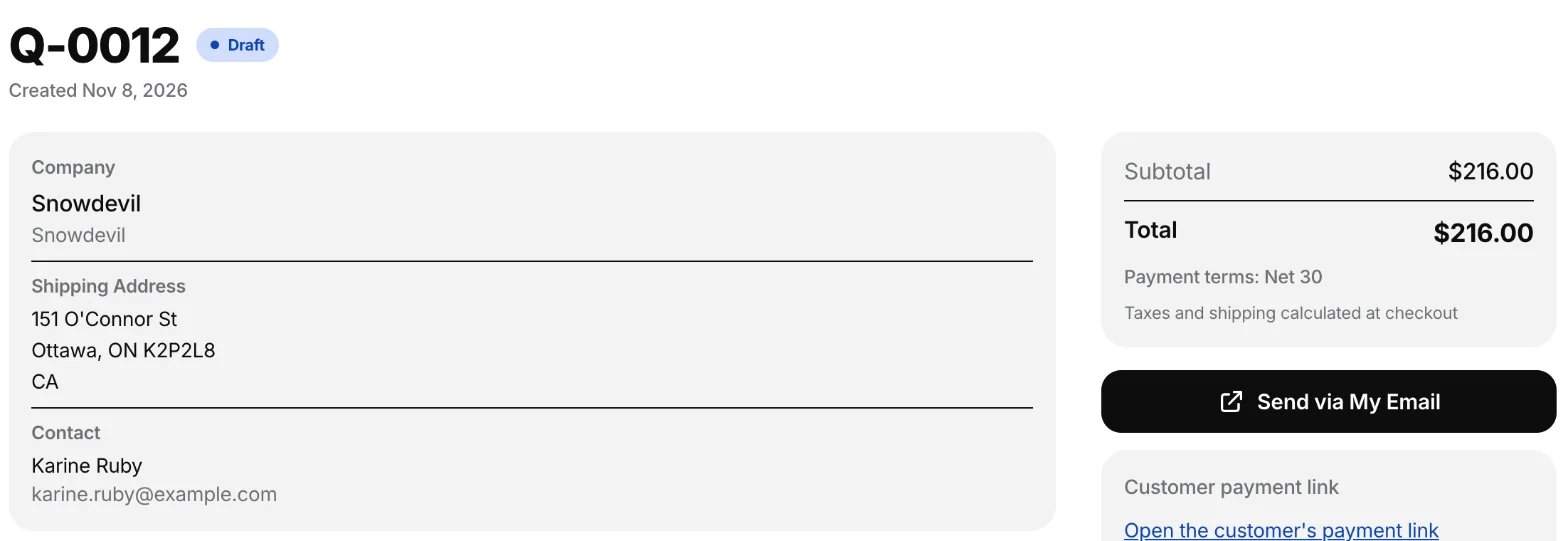
- Addresses. The draft order in Shopify carries the location’s shipping and billing address. The quote page shows the shipping address under Shipping Address.
- Payment terms. With the payment terms setting on, the draft order gets the location’s terms, and the quote, PDF and email show Payment terms: Net 30 (or whatever the location uses).
- Tax exemption. A tax-exempt location gives a tax-exempt draft order, and the quote shows Tax exempt.
The quote remembers its location. A quote made before this update has none, so it uses the contact’s location.
Contacts without a role at the location
In Shopify, a contact holds a role at one or more locations. Sync from Shopify copies those roles, so each contact is tied to their locations.
When you tap a location where the contact has no role, the contact shows No role here — order goes to Shopify without the company account. You can still quote them: the prices are still that location’s, but the draft order is created for the person only, without the company on it.
The shipping address at checkout
Shopify’s checkout for a draft order shows the location’s shipping address under Ship to, and the customer can’t type a different one. This is how Shopify handles draft orders for companies. The location setting Allow customers to ship to any one-time address applies to orders the customer places from your store’s cart, not to a quote’s checkout.
To ship a quote somewhere else, add that address as a location of the company in Shopify, then Sync from Shopify and quote at that location.
Related
Related articles
- Choose a company mode: Shopify B2B sync or app-managedDecide whether FieldB2B reads your B2B companies from Shopify B2B or manages them in the app, and what each mode syncs.
- Assign reps to companiesGive each sales rep the companies they look after, so those accounts appear in the rep's portal.
- Quantity rules and volume pricingThe quantity rules and volume pricing you set in a Shopify B2B catalog apply in the rep portal and the buyer portal, and lock into the quote.